
Aarish Khan Classes
A focused learning experience for CA aspirants — live lectures, recorded sessions, and class notes, packaged in a distraction-free app. Sign in and start watching classes immediately. No Activation key troubles. Watch across multiple devices without device count restrictions.
Download the app
Pick the version for your device.
Android
Google Play
For Android phones and tablets (Android 7.0+).
Get it on Google PlayiOS
App Store
For iPhone and iPad (iOS 15+).
Get it on the App StoreWindows
10 / 11 · 64-bit
For PCs running Windows 10 (version 1809+) or Windows 11.
Download installermacOS
Apple Silicon
For any Apple Silicon Mac (M1 and later).
Download .dmgSetup guides
A few steps you'll only do once.
Sign in for the first time
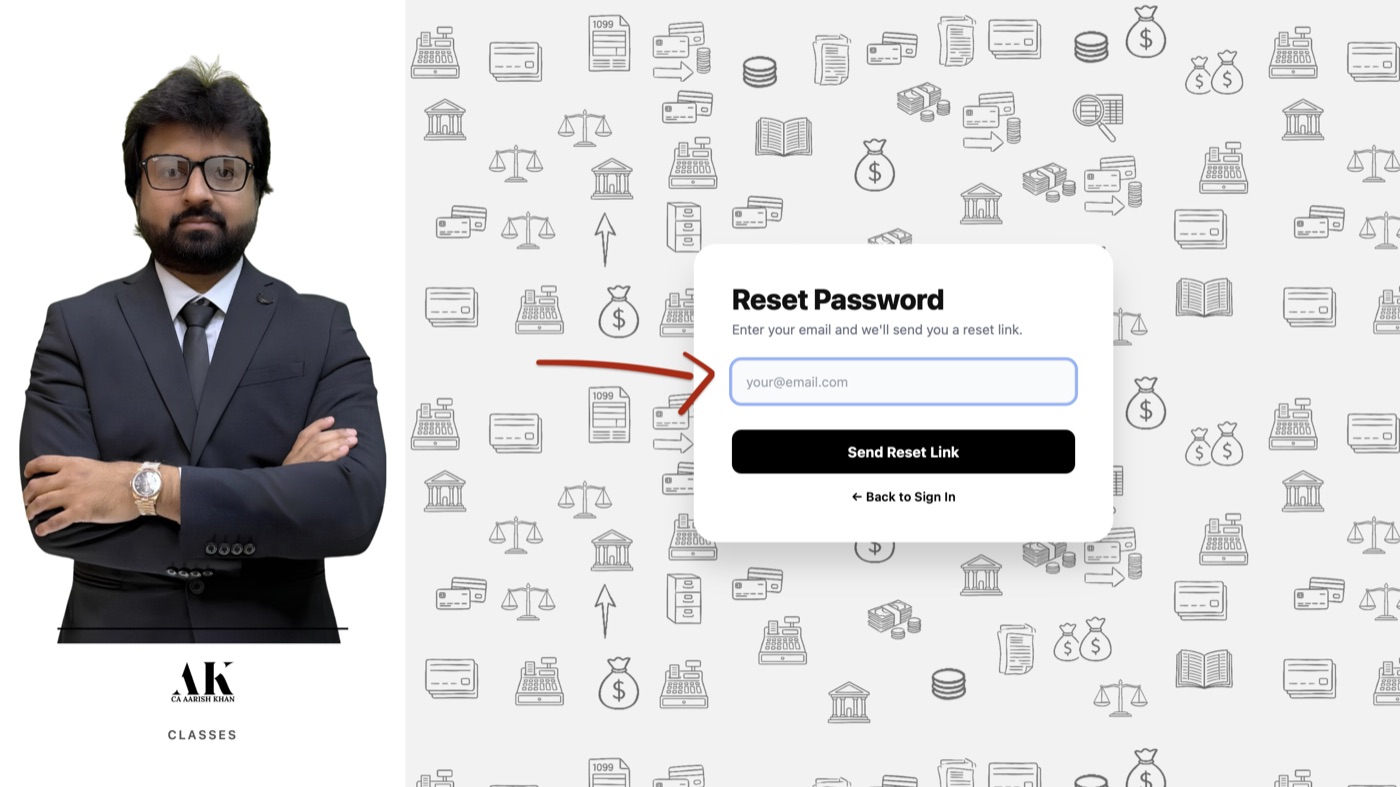
- Open the app — the sign-in screen appears.
- Click Forgot password? (you don't have one yet).
- Enter the email address you shared with the coordinator and click Send reset link.
- Open your inbox, click the link in the email from Aarish Khan Classes, and set a password.
- Return to the app, enter your email + new password, and click Sign In.
Didn't get the email? Check spam, then contact your coordinator to confirm the email on
your account.

Install on Windows
- Click Download installer above. A file named Aarish-Khan-Classes-Windows-Student-Latest.exe will save to your Downloads folder.
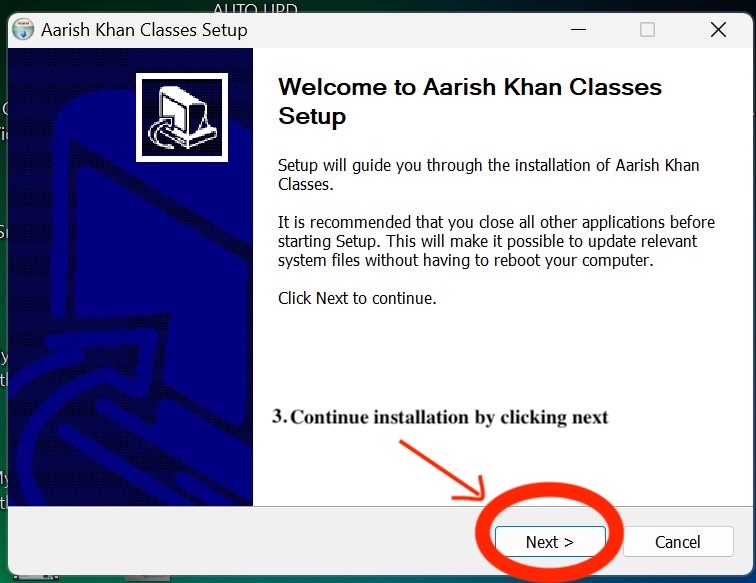
- Double-click the file to run it.
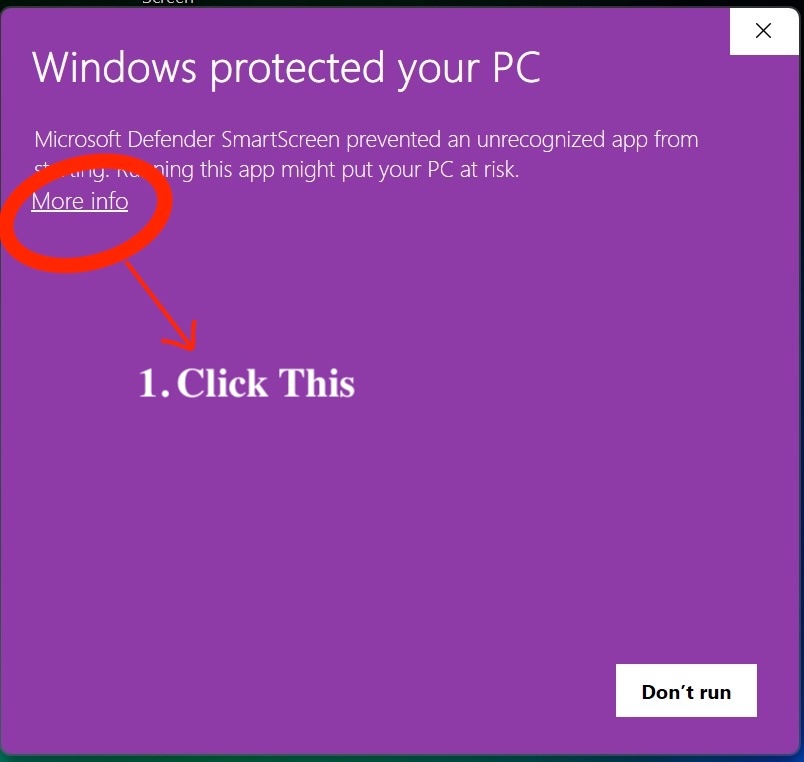
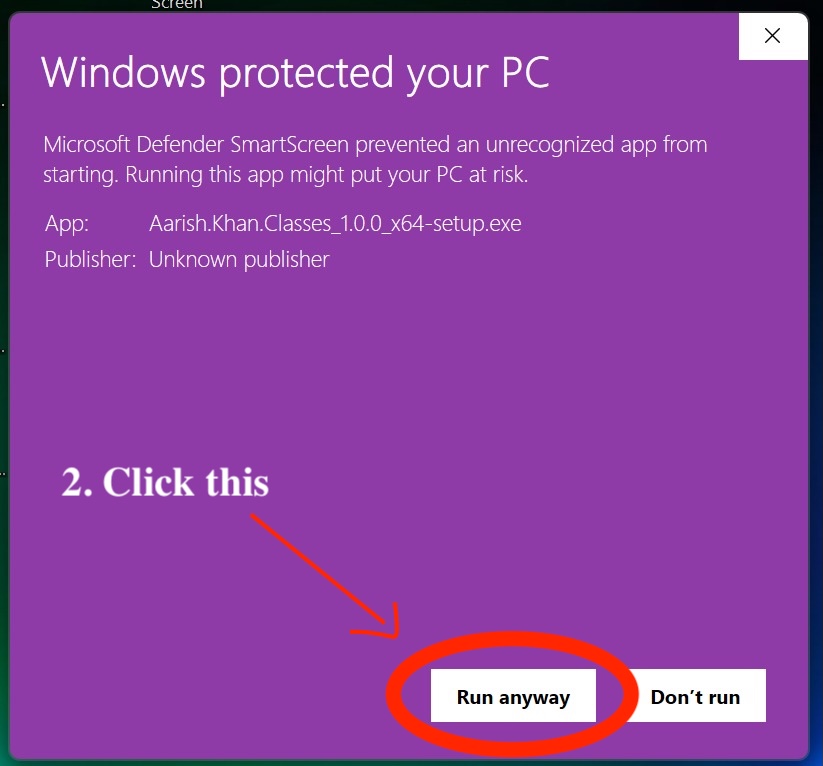
- Windows will show "Windows protected your PC". This is normal for new apps — click More info, then Run anyway.
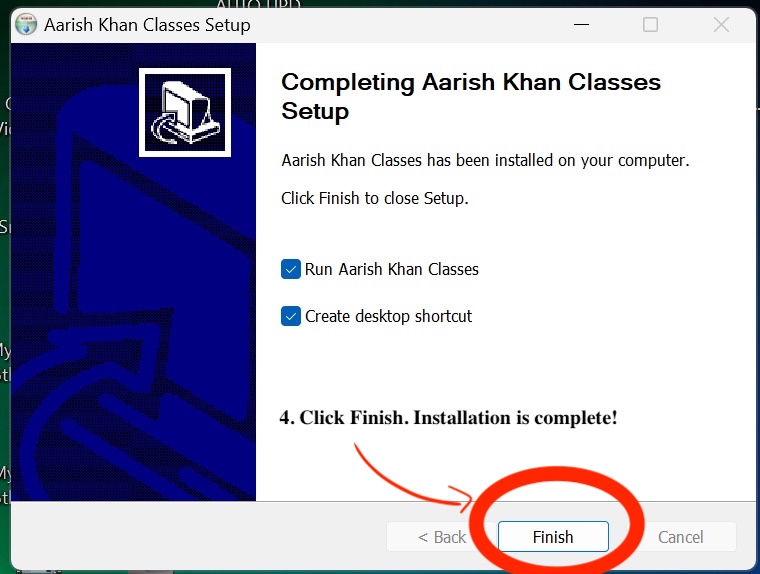
- Wait for the installer to finish. The app opens automatically.
Why the warning? Microsoft shows it on every installer they haven't seen
millions of downloads of yet — it doesn't mean the app is unsafe.
Install on Mac
- Click Download .dmg above. A file named Aarish-Khan-Classes-Mac-Student-Latest.dmg will save to your Downloads folder.
- Double-click the .dmg to open it.
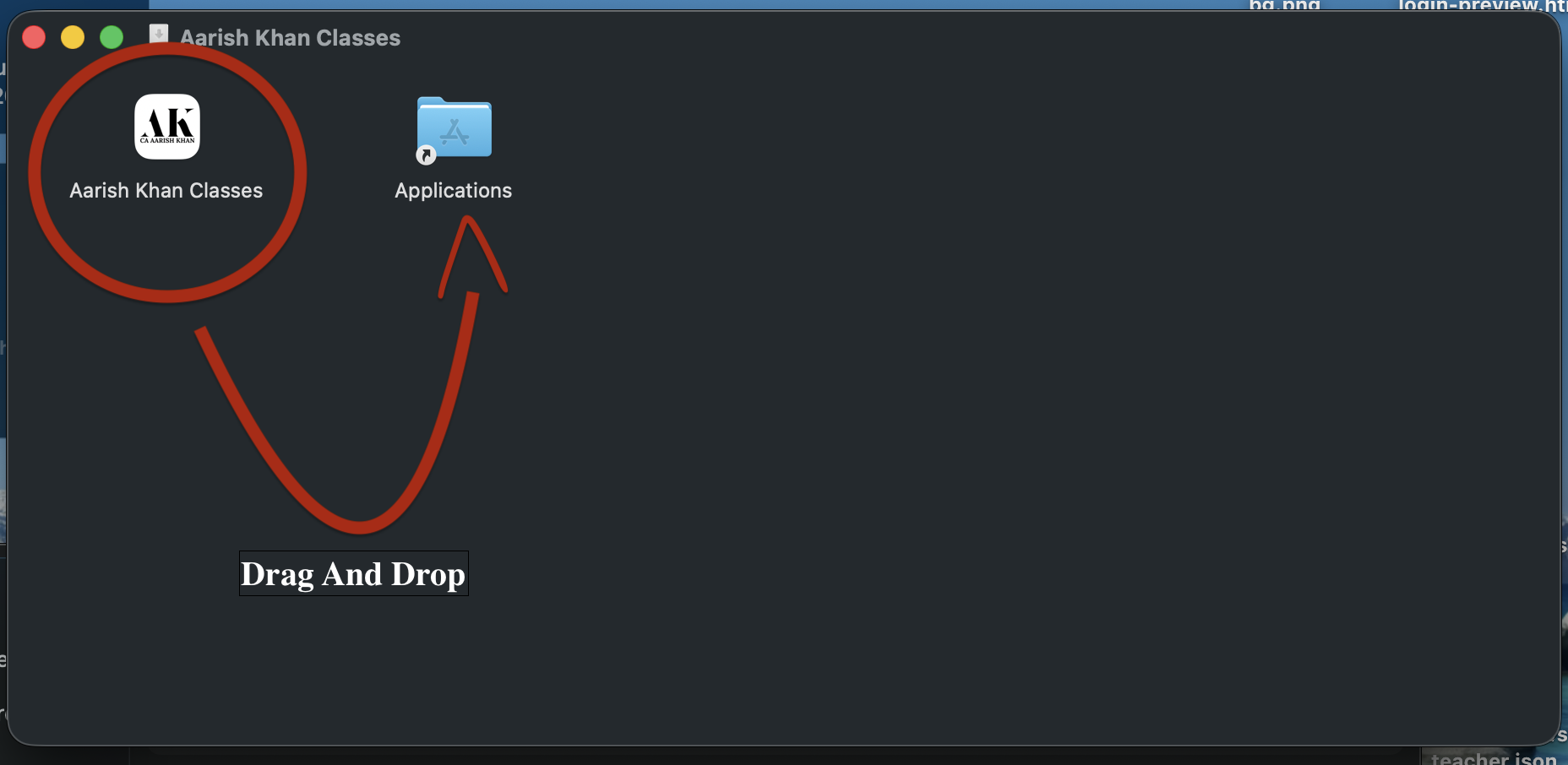
- A window appears with the Aarish Khan Classes icon and an Applications folder shortcut. Drag the app icon onto the Applications folder.
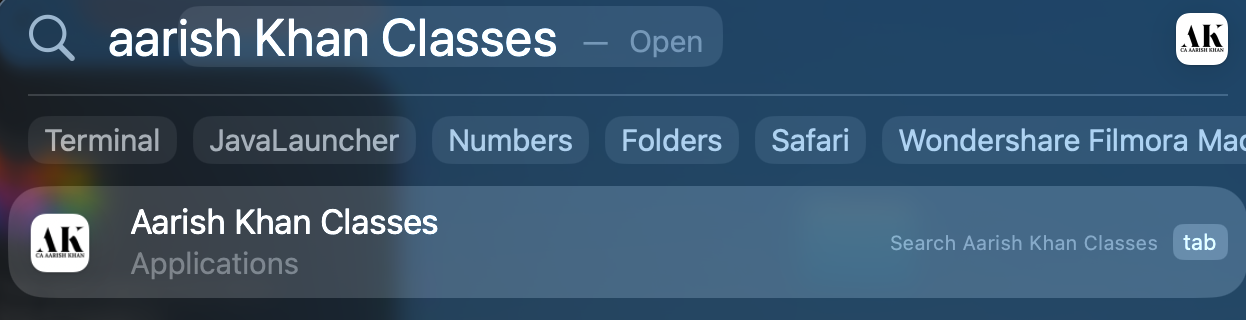
- Open Launchpad or the Applications folder and click Aarish Khan Classes to launch.